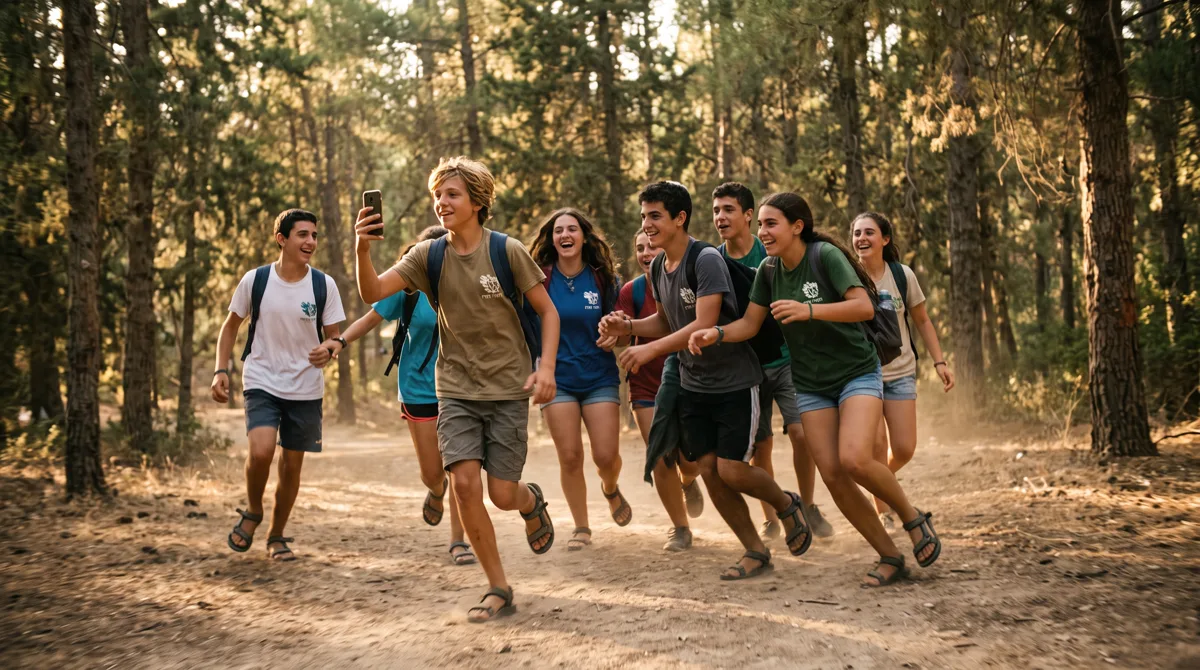
Summer camps, seasonal retreats, and youth movements are the perfect environment for experiential team building and active outdoor learning. Yet counselors and coordinators face two major hurdles when launching digital games: no cellular signal or WiFi in forests and open terrain, and very little preparation time. A platform that works fully offline solves both, letting you launch an engaging activity quickly and confidently.
Why Do Summer Camps Need a Fully Offline Game?
Running a scavenger hunt in nature requires software that does not depend on an internet connection. Many camps operate in forests, nature reserves, or valleys where tools built on continuous connectivity simply fail. Full offline play ensures the game keeps running smoothly and reliably, with no errors and no lost progress.
When a large cohort of campers heads out on a trail, the last thing a counselor wants to deal with is frozen screens and reception complaints. A well-built system stores all stations, maps, and questions on the device itself, letting players keep answering, unlocking, and photographing missions without any network. The moment the device reconnects, everything syncs automatically in the background.
Which Field Mission Ideas Deliver the Best Results?
A successful activity mixes nature missions, active team challenges, and creative tasks. Campers open location locks, solve observation riddles, and create funny group photos. Ending the evening with a big-screen slideshow of the day's best moments strengthens the bonding and the sense of friendship for everyone.
Here are mission ideas that are easy to build for your campers:
- Camouflage Artists (Photo Mission): The team gathers natural items (leaves, branches, stones) and disguises one teammate in the most creative way possible.
- Star Navigator (GPS Lock): Campers use the built-in map to physically reach an ancient oak tree or a specific lookout point.
- Guardian of the Forest (Secret Code Lock): Solving an observation riddle on-site (for example: "How many timber logs surround the campfire circle?") reveals a 4-digit code that opens the station.
- Nature Monuments (Media Mission): Teams build their movement or camp emblem on the ground using only pinecones, leaves, and twigs, then photograph the result.
- The Campfire Chant (Audio Mission): Teammates record themselves singing a short snippet of the camp song together, straight from the phone.
How Do You Match the Structure to Campers' Ages?
Good planning adapts difficulty, route length, and challenge types to each age group. Younger campers need short, bounded routes with close supervision, while older teens thrive on freedom, complex riddles, and independent navigation. Choosing the right mechanics keeps everyone focused and active the whole way.
| Age Group | Recommended Duration | Route Type | Recommended Locks & Missions |
|---|---|---|---|
| Juniors (8-11) | 45-60 minutes | Short, bounded linear route | Simple QR locks, object-finding photo missions |
| Intermediates (12-14) | 90 minutes | Open route across the camp | Text locks, fast timed questions, video missions |
| Seniors (15-18) | 90-120 minutes | Open route or free navigation | GPS locks, complex riddles, audio recordings |
Why Prefer a Browser-Based Solution With No App?
Camp organizers avoid app downloads because of parental restrictions and limited storage on campers' phones. A browser-based platform gives instant access from any device: campers scan a QR code and the game opens immediately, with no registration and no personal details.
This approach also solves the common "restricted phone" problem among kids, since the browser is always available. With a variety of physical access locks and all the campers' creations showcased in the camp's shared closing gallery, you deliver an immersive, glitch-free adventure. For more ideas for games with kids, read our guide on running a scavenger hunt birthday party.